Appearance
PMS Specific Information and Settings
NightsBridge
NightsBridge BridgeIT customers can easily add BetterGuest.io functionality by enabling BetterGuest in the NightsBridge LinksManager.
Extranets
- Booking.com
One or two hosts have noted that guests aren't receiving their emails via Booking.com the proxy email address. If this is the case, you may need to update your communication settings, to allow BetterGuest.io as an approved email sender on your behalf, as well as allow links to our domain to be received by your guests in your emails.
You will need to:- add @betterguest.io as an approved email sending domain
- add betterguest.io as an approved link
Please read the Booking.com instructions on how to do updated your Messaging preferences in your Security settings (fairly straightforward).
Hotelier
Currently Hotelier can only be used as a PMS in conjunction with using NightsBridge as your Channel Manager. Please contact us for more information.
Dealing with amendments and 2 child categories
Hotelier stores 1 child category for booking while NightsBridge stores 2. When a booking is synced between Hotelier and NightsBridge, the children are allocated to child category 1 in NightsBridge.
If a guest requests an amendment in BetterGuest when filling in a form, and changes the child allocation, this change cannot be captured in Hotelier. That information will reside in BetterGuest only.
In these cases you will need to manually approve the changes. Additionally, if a booking amendment is pushed from Hotelier / NightsBridge, you will need to approve the changes again.
The below image shows how a guest can request an amendment when filling in a form:
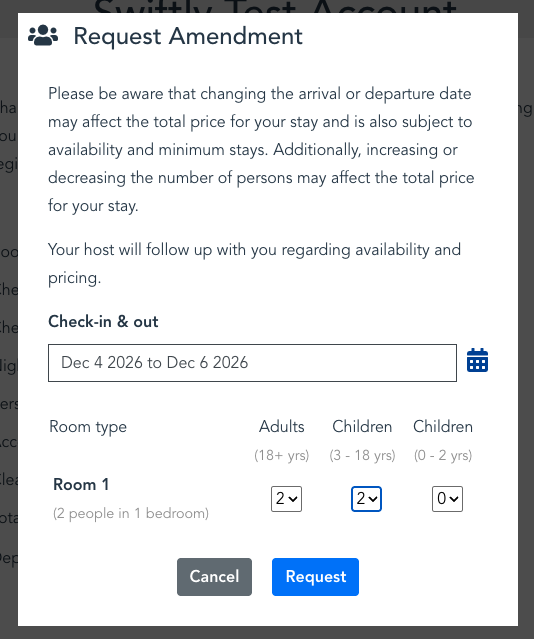
This will result in BetterGuest sending you an email informing you about the request. Normally (if the change does not involve children), you would simply liaise with the guest and update the booking in Hotelier. Those changes would propagate through to NightsBridge and then BetterGuest.
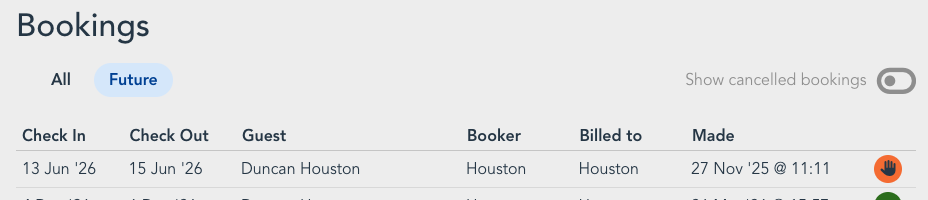
However, if the change does involve children, we store the changes to the children in BetterGuest, and mark the booking as requiring manual review, as per the image below (note the orange hand icon / button).
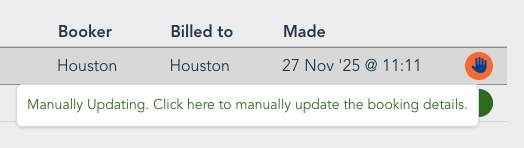
When you hover over the orange hand button, a tooltip will pop up explaining what to do. Please click on the button to continue.
Once you have clicked on the amend icon, a confirmation dialog will appear. Click on "Review and Merge".
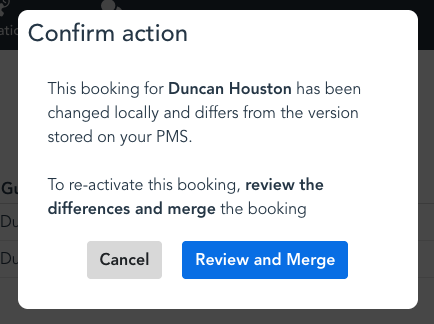
BetterGuest will then compare the booking in NightsBridge with the version within BetterGuest, display the differences, and give you the choice as to how to resolve those differences.
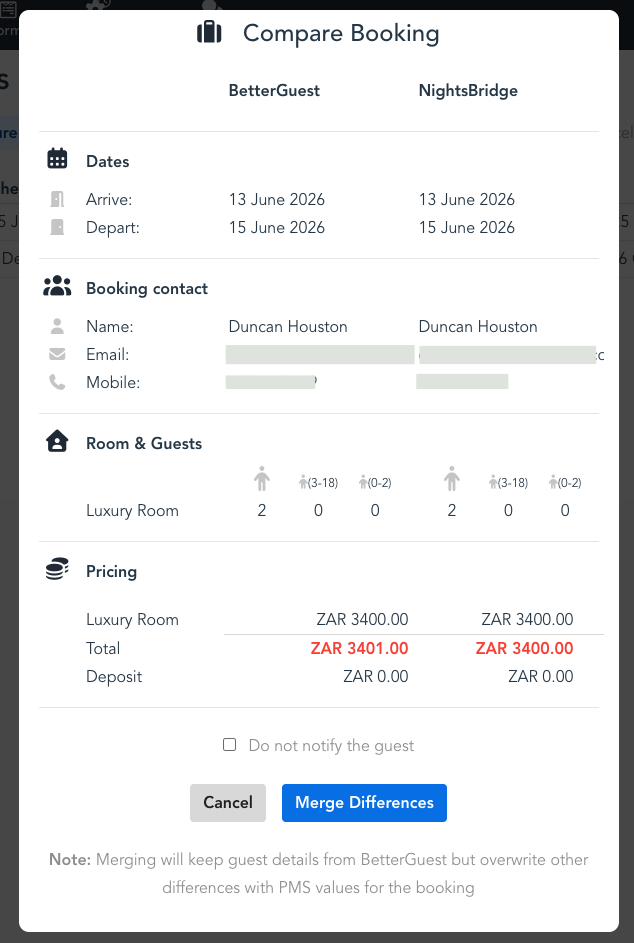
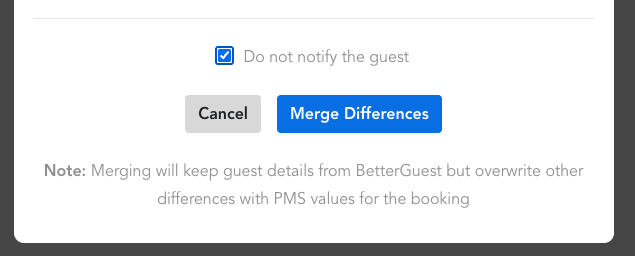
We would normally expect you to click the "Merge Differences" button to resolve the issue. You could of course click "Cancel" and make further changes to the booking in Hotelier before proceeding if a detail is incorrect.
You will need to click on "Merge Differences" at some point to resolve the issue and have the booking state be normal again.
PRO TIP - OPT IN / OUT OF INFORMING A GUEST
If you have configured an event automation configured to trigger when a booking is updated, that automation will trigger when you "Merge Differences" above.
You may, for example, have an email automation that confirms the changes to the guest, which would then send an email after the differences are merged.
Normally that is fine - however, any subsequent changes will require reviewing and merging again, and will result in the event automation triggering again. If the changes are minor (say for example the deposit amount has changed) and you don't feel the need to email the guest again, you can select the "Do not notify the guest" checkbox before clicking on "Merge Differences" button. The event automation will then not trigger and the email will not be sent.