Appearance
Installing the BetterGuest App on iOS and Android
The BetterGuest App can be installed on your mobile phone, for managing communications on-the-go and responding timeously to guests. We have not published the App in the Apple App Store, or Google Play Store, as we do not currently need the additional phone functionality that this would provide.
TIP
If you haven't logged in to BetterGuest standalone before (you've only logged in via NightsBridge), you won't have a password. If so, once you have installed the app, select on "Forgot password" on the sign in page to get a link to create a new password
Below are installation instructions for the 2 platforms.
Installing on iOS / Apple
- Open the Safari web browser, and navigate to https://host.betterguest.io
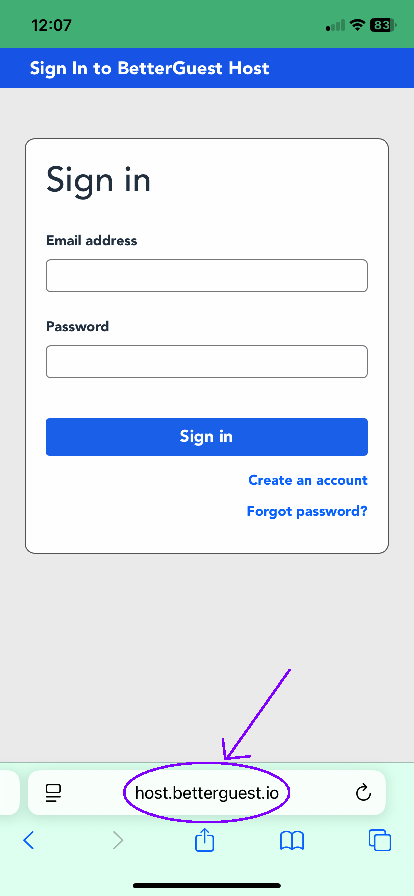
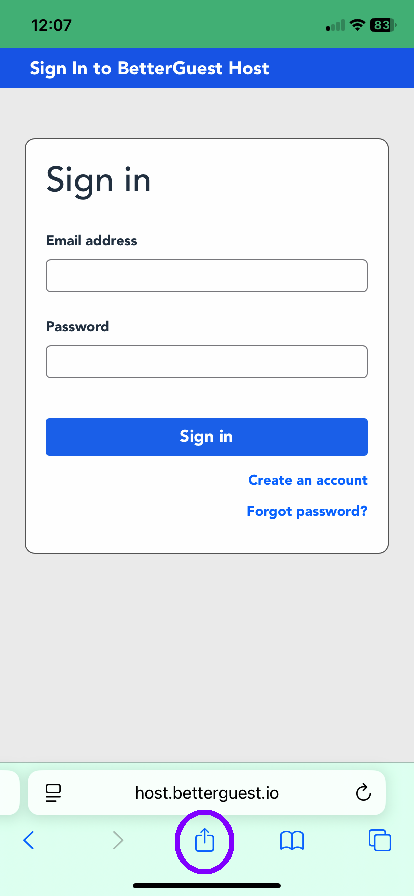
- Tap on the Share button in the toolbar at the bottom:
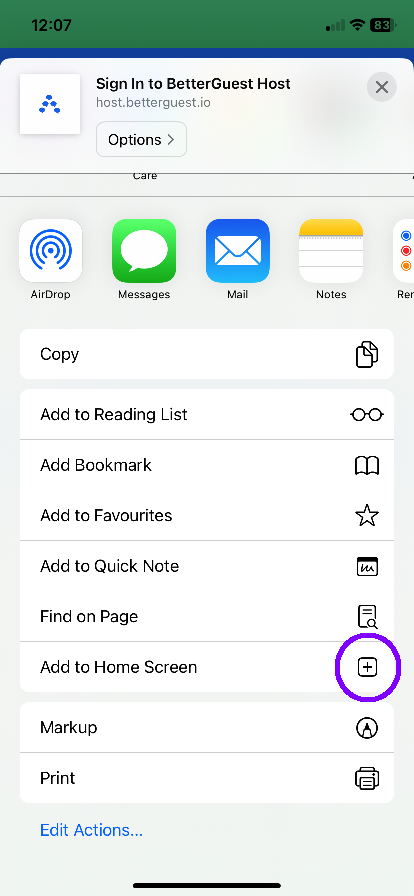
- Tap on "Add to Home Screen"
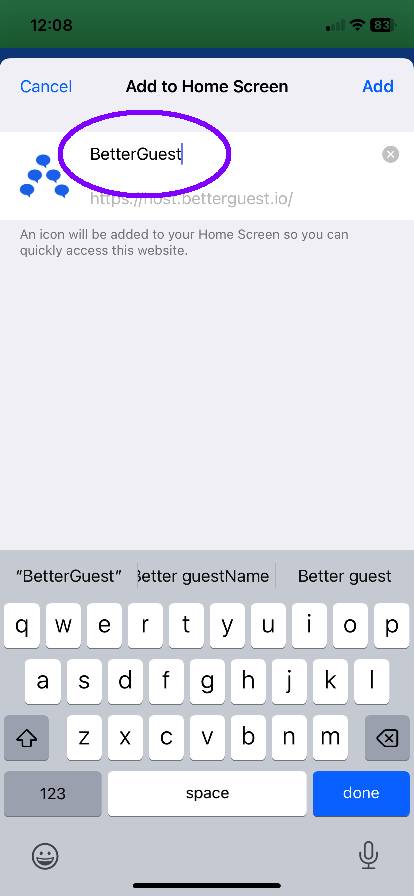
- If you want, change the name before clicking on "Add"
- Don't forget, that if you have only logged into BetterGuest from NightsBridge, you will need to set your password
Installing on Android
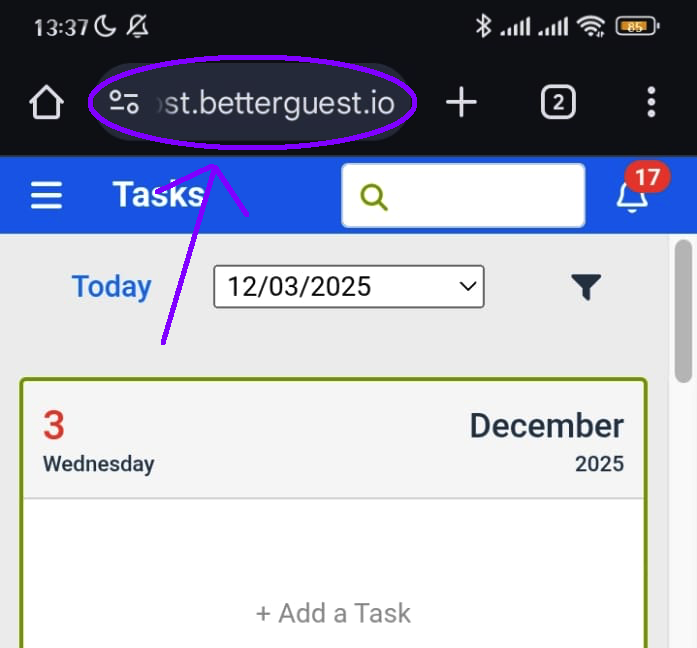
- Open the Chrome web browser, and navigate to https://host.betterguest.io
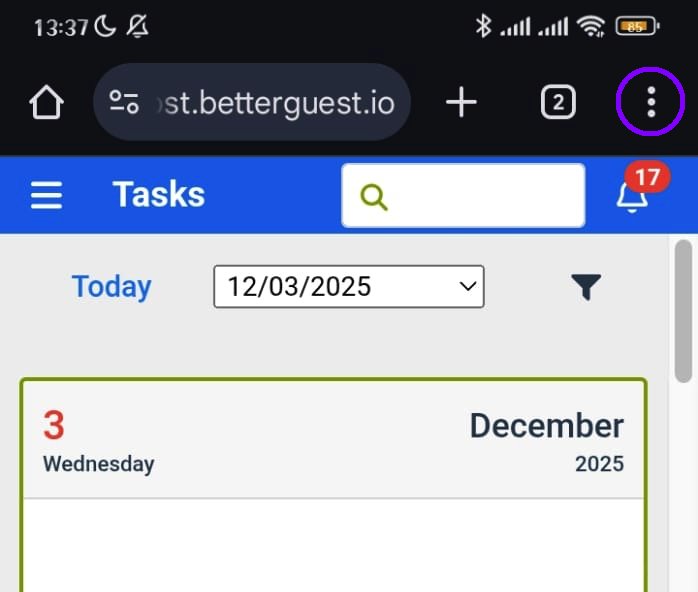
- Tap the three-dot menu in the top-right corner:
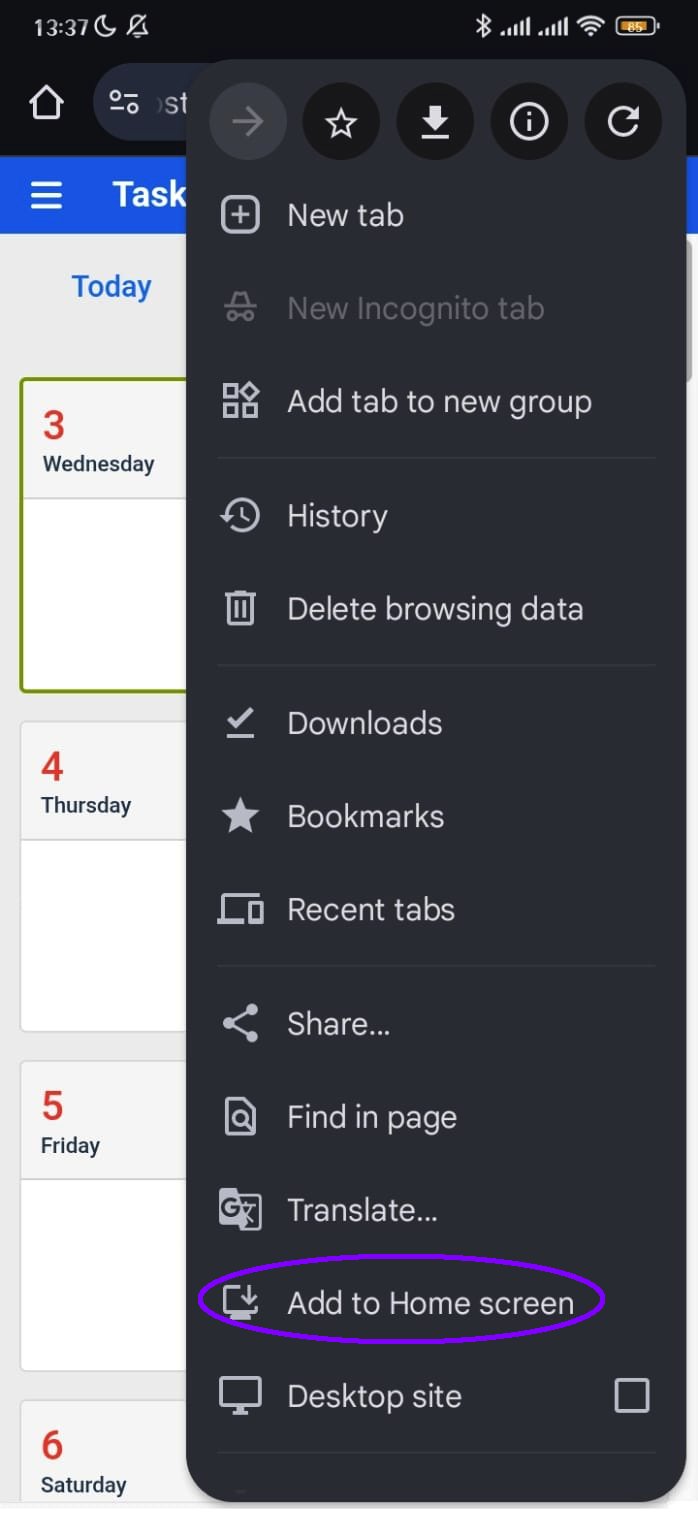
- Tap on "Add to Home Screen"
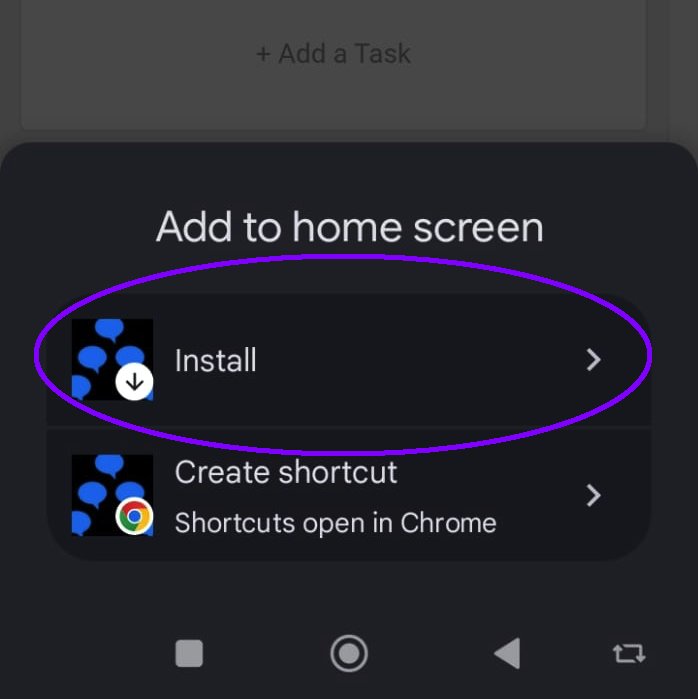
- Select Install
- Don't forget, that if you have only logged into BetterGuest from NightsBridge, you will need to set your password